Publishing Feature
Timeline: 8 x 1 week sprints Role: UX / UI / UXR / IA
The Background
SocialReferral is an employee engagement platform utilized to increase referrals and build an authentic employee brand. The platform pulls in jobs and content from all company pages (Facebook, Twitter, LinkedIn, etc) that are sharable to any personal social page including Facebook, Twitter, LinkedIn, Whatsapp, etc. Users can earn rewards and points by competing in company-wide competitions. In order to decrease the time an administrator spends maintaining the tool, we want to create a way for them to pre-publish multiple types of actions.
The Problem / The Vision
As the administrator of the tool is generally an HR Representative OR Marketing Manager, we realize they have other jobs than maintaining this platform. However, SocialReferral requires a lot of time and effort in order for it to run as smoothly as a company may want it too. We want to decrease the amount of time and effort an admin puts into the platform by creating a calendar feature that allows them to pre-publish hashtags, content, campaigns, jobs, and competitions. The Product team also decided to create publishing settings that would allow administrators to turn on a list of pre-written prompts, in which would automatically be scheduled into the calendar if turned on.
Market Research
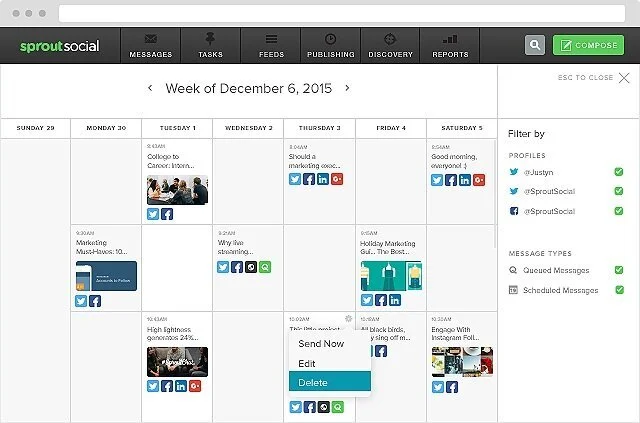
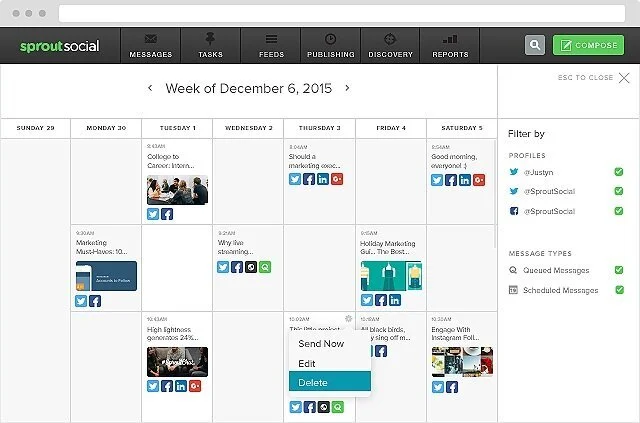
In gaining the market research, I examined other publishing tools such as SproutSocial and Google Calendar to understand best practices.
What users said
We spoke to 5 administrators about the concept of a calendar feature. Company administrators are in favor of the calendar feature due to the amount of time they already spend inside the platform. They feel as though the platform isn’t living up to it’s full potential due to the lack of time they have to spend inside publishing different types of actions. Admins want the ability to schedule everything within a calendar, including: Campaigns, Jobs, Content, Competitions and most importantly Hashtag Challenges.
Overcoming Pain Points
In designing for the publishing settings, there were a lot of questions that needed to be answered. If admins turn on the prompt list, then turn it off, what happens if prompts had already ran their course? Will the list start over? Should we eliminate prompts that had already ran? As we discussed across the team, we were running out of time to make a decision, so we decided to come back to this in V2 and for now create a NOTE that explained the following:
NOTE: If you disable pre-scheduled prompts OR change the start date then the list of prompts will start all over again. We recommend updating the posts that have already been posted (prior to updating the date or disabling) in the calendar view.
This was not the perfect solution. However, when sending out client communications, product marketing was sure to include this small note to ensure clients did not get confused when updating this particular feature.
We also had a scare before product communication was sent out. As we never designed for where to put the toggle to turn on this feature - we simply wrote it out in a ticket that had been missed - our development team had placed the toggle somewhere unknown. It delayed our release timeline because we had to find out where the toggle had been placed, and the development team had to move it to the correct location before we could send out the communications.
The Final Solution
The calendar feature was released in multiple different releases. First, our team decided to release the hashtag challenge section in order for the administrators to get used to the process. Next came the scheduling of campaigns, jobs, content and competitions in two week release cycles. Each action scheduled was color specific, provided the image (if it had one) and the time in which it would be published. If an action was pre-planned, it was able to be edited. However, if it had already run its course, it was no longer able to be edited. The options to visualize scheduled actions were available via a list, weekly and monthly view. The search bar allowed for the admin to search any pre-planned action across the board.